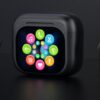
For audio brands, retail importers, and private-label distributors, smart screen TWS earbuds offer a new way to differentiate wireless audio products. By integrating a color touchscreen into the charging case, manufacturers can bring selected audio controls, battery information, and auxiliary functions directly to the user.
But is a smart display charging case a practical upgrade or simply an additional cost?
The answer depends on the features supported by the display, the target market, the product’s retail positioning, and the total manufacturing cost. For B2B buyers, understanding these factors is essential when deciding whether smart screen earbuds belong in a product portfolio.
1. What Are Smart Screen TWS Earbuds?
Smart screen TWS earbuds are true wireless stereo earbuds equipped with a charging case that incorporates a display, often with touch controls. Unlike conventional charging cases that use LED indicators, a smart display can provide a visual interface for selected functions.
Depending on the hardware and firmware design, supported features may include:
- Active Noise Cancellation (ANC) and transparency mode switching
- Left earbud, right earbud, and charging case battery information
- Equalizer (EQ) presets and sound profile selection
- Music playback controls and track navigation
- Custom wallpapers, startup logos, and language options
- Auxiliary tools such as timers, clocks, camera shutters, or earbud-finding functions
Not every smart screen TWS model supports all these features. Available functions depend on the chipset, firmware, display interface, and compatibility with connected devices.
For manufacturers and brand owners, the main value proposition is straightforward: the charging case becomes an interactive control interface rather than serving only as a storage and charging accessory.
2. How Smart Screen Charging Cases Improve the User Experience
One of the main advantages of smart screen TWS earbuds is that they can reduce the number of steps required to access frequently used audio controls.
With conventional earbuds, users may need to take out a smartphone, unlock it, open an application, and navigate to a setting. A smart display charging case can make selected controls available directly on the case.
| Comparison Item | Traditional TWS Earbuds | Smart Screen TWS Earbuds |
|---|---|---|
| Operation Method | Operate through a connected smartphone | Tap the charging case display |
| Control Steps | Take out phone → Unlock device → Find settings | Tap the case display → Access supported controls |
| Convenience | Requires additional steps on the phone | Provides more direct access to supported functions |
| Device Dependency | Relies on smartphone settings or compatible apps for certain operations | Reduces the need to access a smartphone for supported controls |
| Control Capabilities | Depend on the earbuds, smartphone, and companion app | Depend on the case display, firmware, and hardware capabilities |
| User Experience | Familiar but may involve more steps | More intuitive for supported on-case interactions |
2.1 Direct ANC and Transparency Mode Switching
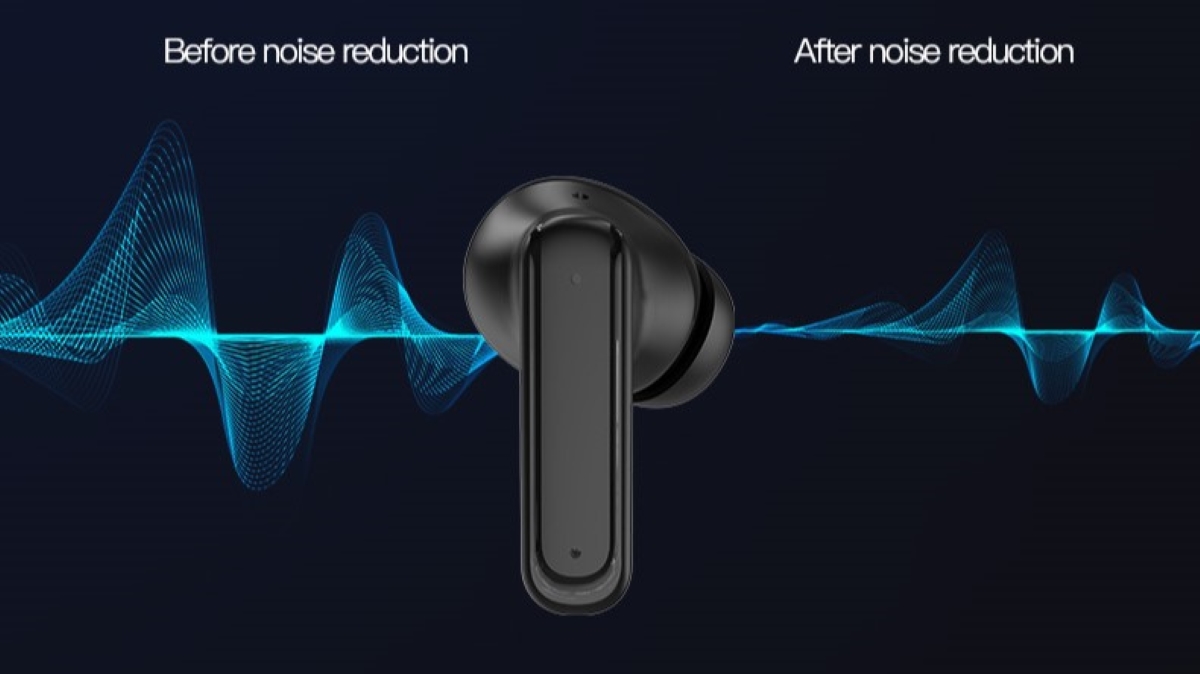
Users may need different listening modes in different environments. ANC can help reduce certain types of ambient noise, while transparency mode allows more surrounding sound to pass through.
A smart screen charging case can provide direct access to these modes when the product supports case-based control. This may be particularly useful for commuters, travelers, and users who frequently switch between listening environments.
For B2B buyers, it is important to confirm whether the selected model supports ANC, transparency mode, and direct control through the case display.
2.2 Clear Battery Status for Both Earbuds and the Case
Traditional charging cases often use LED indicators to communicate charging status or approximate battery levels. A smart display can present more detailed battery information, potentially including separate percentages for the left earbud, right earbud, and charging case.
The actual display accuracy and available information depend on the product’s battery monitoring hardware and firmware.
For users, clearer battery information can make charging routines easier to manage. For brands, it provides a practical feature that can be demonstrated in product images and retail listings.
2.3 On-Case EQ Presets and Audio Controls
Audio preferences vary by user and listening situation. Some listeners prefer stronger bass for music, while others prioritize vocal clarity for podcasts or calls.
Where supported, a smart screen can provide access to predefined EQ profiles without requiring users to navigate a smartphone application. Some models may also support playback, volume, or track controls.
Procurement teams should verify which controls are processed directly by the earbuds, which are handled by the case, and which still require a connected device or companion application.
2.4 Additional Tools Beyond Audio Control
Depending on the firmware, smart screen charging cases may include additional functions such as clocks, countdown timers, camera shutter controls, or earbud-finding features.
These tools can add value for users who want more functions from a single accessory. However, each feature should be evaluated against its implementation cost, battery consumption, usability, and target-market relevance.
The goal is not to add as many features as possible. It is to select functions that solve recognizable user problems without making the interface unnecessarily complicated.
3. Smart Screen TWS Earbuds vs. Traditional TWS Earbuds
The most important difference between smart screen and conventional TWS earbuds is the charging case interface. This difference affects product functionality, development requirements, and potential market positioning.
| Evaluation Factor | Traditional TWS Earbuds | Smart Screen TWS Earbuds |
|---|---|---|
| Charging case interface | Typically LED indicators or basic controls | Color display with touch interaction on supported models |
| Battery information | Usually basic status indication | May show individual battery percentages |
| Audio settings | Earbud gestures or companion app, depending on model | Selected settings may be available directly on the case |
| EQ adjustment | Model-dependent controls or app | On-case presets may be supported |
| UI customization | Usually limited | May support custom logos, wallpapers, or languages |
| Hardware complexity | Conventional case design | Additional display, touch interface, electronics, and firmware |
| Development requirements | Standard audio and charging integration | Additional UI design, firmware integration, and functional validation |
| Product positioning | Entry-level to premium, depending on specifications | Can support a differentiated mid-range or premium proposition |
A smart display does not automatically make earbuds sound better or deliver superior noise cancellation. Acoustic performance, microphone quality, Bluetooth stability, comfort, battery life, and reliability remain important purchase criteria.
For brand owners, the best decision is to assess the smart display as one component of the complete product experience.
4. How Much Does a Smart Screen Add to TWS Manufacturing Costs?
Adding a color touchscreen can increase the bill of materials (BOM) and introduce additional engineering requirements. The actual cost depends on the display technology, screen size, touch controller, supporting electronics, firmware complexity, production volume, and quality requirements.
A procurement estimate should consider more than the display panel alone.
Key Cost Factors
| Cost Component | What Buyers Should Evaluate |
|---|---|
| Display module | Screen size, resolution, brightness, touch performance, and supply availability |
| Electronic components | Display driver, touch controller, supporting circuitry, and power requirements |
| Firmware development | UI functions, system integration, language support, and software maintenance |
| Industrial design | Case dimensions, internal layout, screen protection, and assembly structure |
| Testing and quality control | Touch response, display consistency, battery consumption, durability, and functional testing |
| Customization | Brand logo, interface design, wallpapers, and feature-specific development |
The original reference estimate of an additional US$3.50–US$6.00 per unit may be useful as an initial discussion point, but it should not be treated as a universal manufacturing cost. Buyers should request a quotation based on the intended specification, order quantity, and customization scope.
Does a Smart Screen Support a Higher Retail Price?
A smart screen can create a stronger product differentiation story, especially when the interface provides useful functions that customers can understand quickly.
However, a higher retail price is not guaranteed. The achievable price premium depends on competing products, brand positioning, product quality, distribution costs, and consumer demand.
Before setting a target retail price, B2B buyers should evaluate:
- Target retail price and expected gross margin
- Total landed cost, including freight, duties, and packaging
- Retailer or marketplace fees
- Comparable products and competitor specifications
- Warranty exposure, return rates, and after-sales support
- Expected sales volume and product lifecycle
The most commercially attractive configuration is the one that balances meaningful features with a viable total cost.
5. Who Is the Target Market for Smart Screen TWS Earbuds?
Smart screen TWS earbuds may suit several consumer segments. Brands should prioritize the use cases that align with their existing customers and retail positioning.
Daily Commuters
Commuters may value quick access to supported listening modes and clear battery information while moving between public transport, streets, and indoor environments.
For this audience, convenience, reliable Bluetooth connectivity, comfortable fit, and effective noise control are likely to matter more than the number of display features.
Fitness and Gym Users
Fitness users may appreciate visible battery status, playback controls, and supported timers when their smartphones are stored in a bag or armband.
Product selection should also consider fit stability, sweat resistance, durability, and the manufacturer’s documented protection ratings where relevant.
Office Workers and Remote Professionals
Office users may benefit from convenient audio controls and battery monitoring during work sessions. Some models may also provide shortcuts or settings designed for everyday use.
For this segment, microphone performance, call clarity, device compatibility, and connection stability remain essential. A smart display should complement these core capabilities rather than replace them.
6. What Should B2B Buyers Check Before Sourcing Smart Screen TWS Earbuds?
Selecting a supplier requires evaluating the complete product specification, customization scope, manufacturing process, and compliance documentation.
Step 1: Confirm the Display and Supported Functions
Request a detailed feature list covering battery information, ANC control, transparency mode, EQ presets, playback functions, language options, and auxiliary tools.
Ask the supplier to demonstrate each claimed function on a working sample.
Step 2: Evaluate Core Audio Performance
Review Bluetooth specifications, supported audio codecs, microphone configuration, call performance, battery capacity, charging time, and wearing comfort.
If ANC or ENC is part of the product specification, request the relevant test methods and supporting performance data. Avoid comparing noise-reduction figures unless the measurement conditions are comparable.
Step 3: Define OEM/ODM Customization Requirements
Determine whether the supplier can customize:
- Charging case interface and visual design
- Startup logo, wallpaper, and supported languages
- Firmware functions and UI behavior
- EQ presets and supported audio settings
- Packaging, accessories, and brand identity
Clarify which changes are standard options and which require additional development fees or minimum order quantities.
Step 4: Verify Quality and Compliance Documentation
Confirm the certifications, declarations, and test reports applicable to the specific product and target market. Requirements may vary by destination and product configuration.
Where relevant, review documents covering radio-frequency compliance, electrical safety, battery transport, restricted substances, and other applicable requirements.
Do not assume that a supplier’s general certification statement automatically covers every model or market.
Step 5: Assess Production and After-Sales Support
Discuss sample lead times, mass-production capacity, order quantities, quality inspection procedures, warranty terms, spare parts, and firmware maintenance.
For private-label programs, clear agreements on software ownership, update support, and customization responsibilities can help reduce risks throughout the product lifecycle.
7. Frequently Asked Questions
What are the main advantages of smart screen TWS earbuds?
Their main advantage is direct access to selected functions through the charging case display. Depending on the model, these may include battery monitoring, audio mode switching, EQ presets, playback controls, and auxiliary tools.
Are smart screen TWS earbuds better than traditional wireless earbuds?
Not necessarily. A smart display can improve convenience and product differentiation, but audio quality, comfort, microphone performance, battery life, and reliability still determine overall product value.
Does every smart screen charging case support ANC and EQ control?
No. Supported functions depend on the chipset, firmware, earbuds, and display implementation. Buyers should verify the complete feature list and test a sample before placing a production order.
How much does a smart display increase the manufacturing cost?
There is no fixed cost increase for every model. The display module, supporting electronics, firmware development, customization, order volume, and quality requirements all affect the final quotation.
Can manufacturers customize the display interface for private-label brands?
Some OEM/ODM manufacturers offer interface customization, including logos, wallpapers, language options, and selected control layouts. The available scope depends on the platform and firmware architecture.
What should importers prioritize when choosing a smart screen TWS supplier?
Importers should assess audio performance, display functionality, firmware customization, production consistency, product-specific compliance documentation, pricing, minimum order quantities, and after-sales support.
Conclusion: Turning Smart Screen Features into Product Differentiation
Smart screen TWS earbuds give audio brands another way to differentiate wireless products by making selected controls and information accessible through the charging case.
Their commercial value depends on more than the presence of a display. Useful functions, reliable audio performance, thoughtful interface design, competitive total cost, and clear product positioning all contribute to a successful product.
For B2B buyers, a structured evaluation of functionality, customization, compliance, and manufacturing capability can help determine whether smart screen TWS earbuds fit the target market.
OEM/ODM Smart Screen TWS Earbuds from AiL
AiL supports the development and manufacturing of smart screen TWS earbuds and Bluetooth audio products for brands, importers, and distributors.
Potential customization areas include display UI design, brand logos, supported language options, firmware features, and audio tuning, subject to the selected platform and project requirements.
Contact AiL to discuss product specifications, request sample demonstrations, and evaluate OEM/ODM options for your target market.